

Rules, repeats and pages
Show a question only when it applies
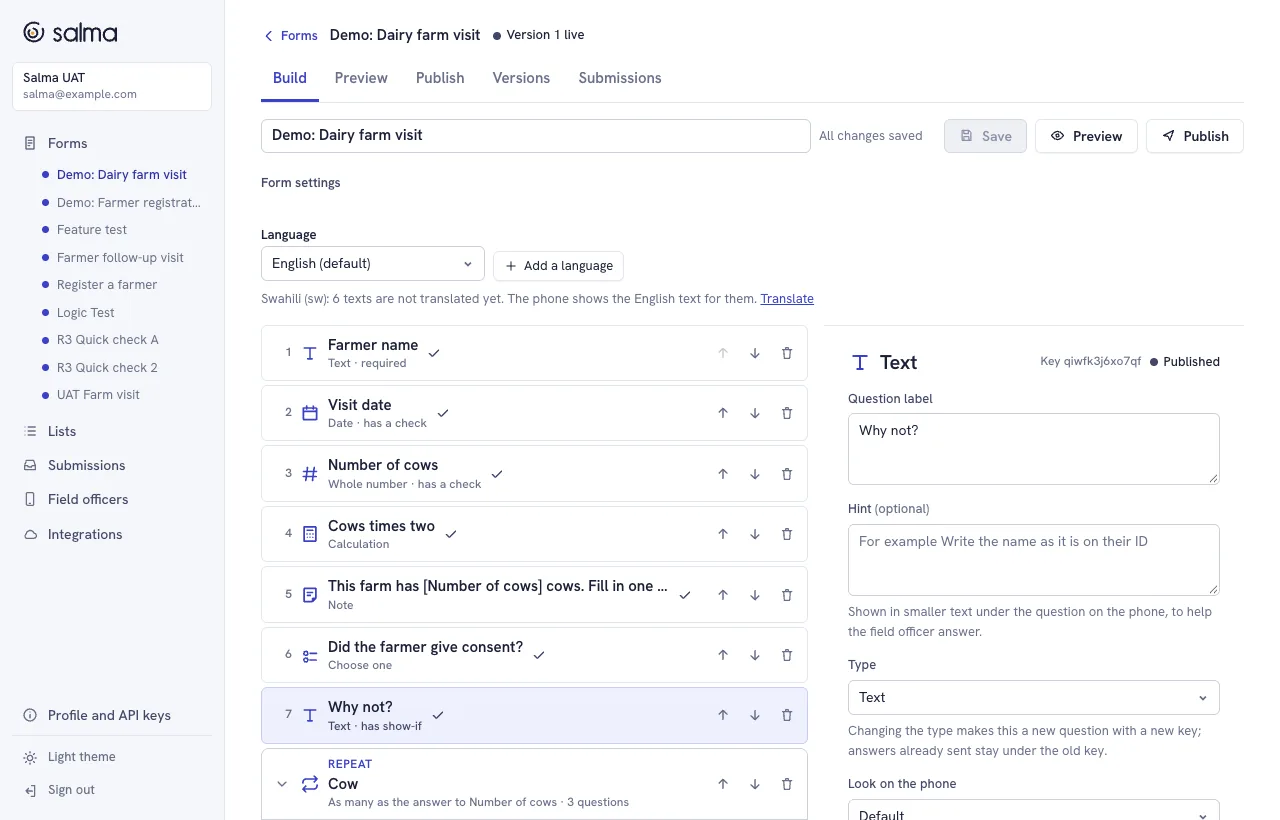
Section titled “Show a question only when it applies”Under Show this question only if, click Add a condition. Pick an earlier question and a comparison, such as is answered or is a choice. With no condition the question is always shown.
Example: show Why not? only when Did the farmer give consent? is No.
Check answers
Section titled “Check answers”Under Only allow answers that, set the limits that fit the type: a smallest and largest number, a longest text, how many choices at most, or a date that is today or earlier. Add a message the officer sees when an answer is not allowed. The phone will not move on until the answer fits.
Calculations
Section titled “Calculations”Add a Calculation, name it, and build its formula with the buttons under Use an earlier answer, for example [Number of cows] * 2. A calculation is not shown to the officer, but it is saved with the visit and can be sent to Salesforce. A Note can show it: This farm has [Number of cows] cows.
Choices that depend on an earlier answer
Section titled “Choices that depend on an earlier answer”Add a column to a choice list, for example a county column on a list of wards. Then, under Show only some choices, pick Only where county is and the answer to County. Picking Kisumu then shows only the wards in Kisumu.
Repeat questions
Section titled “Repeat questions”Add a Repeat to ask the same questions more than once, for example once for each plot or each cow. Under How many entries, either let the officer add another entry after each one, or take the number from an earlier whole number question (outside any repeat): the phone then asks for exactly that many. Add questions inside the repeat with Add question to the repeat.
Questions on one page
Section titled “Questions on one page”A Group shows its questions on one phone page, and a group can be shown or skipped as a whole. You can also tick On one page with the question above on a question to put the two together.